7 Europass CV Examples That Land Interviews in 2026 [Free]
Creating a CV in the Europass format, a standard recognised across Europe, requires more than just filling in the blanks. Many skilled professionals find it challenging to make this structured template truly reflect their unique value and expertise. If you've ever felt your CV wasn't doing your experience justice, you are in the right place. A generic document simply won't cut it when you're applying for competitive roles in today's job market.
This guide is designed to help you change that. We will provide a curated collection of powerful europass cv examples tailored to various roles and industries across Europe. We'll move beyond the basics, offering a detailed analysis for each sample to show you precisely why it works and how you can apply the same principles.
You will learn how to:
- Optimise your CV for Applicant Tracking Systems (ATS).
- Write compelling, achievement-focused bullet points that grab attention.
- Highlight critical skills relevant to the European job market.
Each example comes with practical customisation tips you can apply immediately. By the end, you'll have the strategic insights and tools needed to transform a standard Europass CV into a powerful asset that gets you noticed by hiring managers. Ready to build a CV that opens doors? Let’s begin.
1. Europass.ai
When searching for high-quality Europass CV examples and a tool to bring them to life, europass.ai stands out as a premier, purpose-built platform. It is specifically engineered for professionals across various sectors in Europe. This AI-powered CV builder is designed to translate your hands-on experience and professional background into a polished document that gets noticed.
The platform's core strength lies in its deep understanding of what recruiters and Applicant Tracking Systems (ATS) look for in modern applications. Rather than offering generic templates, europass.ai focuses on highlighting practical achievements, key skills, and professional potential, which are critical in any industry. Trusted by job seekers across the continent, it has established itself as a go-to resource for creating effective, ATS-optimized CVs in minutes.
Key Strengths and Strategic Advantages
Europass.ai excels by combining speed with industry-specific intelligence. Its AI doesn't just fill in blanks; it generates clear, impactful bullet points that quantify your accomplishments and align with job descriptions. This is particularly valuable for professionals who are experts in their field but may find it challenging to articulate their skills on paper.
Strategic Insight: The platform's focus on the Europass format and European job market norms is its greatest differentiator. It solves a specific need: helping professionals create CVs that are not only compliant with European standards but also strategically tailored to pass automated screening and impress human hiring managers.
Standout Features and Practical Applications
- AI-Powered Content Creation: You simply fill out a straightforward form, and the AI generates compelling content. This transforms a potentially time-consuming task into a process that takes minutes. It is ideal for busy professionals who need an effective CV without a steep learning curve.
- Professionally Designed Templates: With templates designed for various roles and industries, the platform ensures the layout and content are immediately relevant. The focus is on showcasing your skills, certifications, and experience effectively.
- ATS Optimization: Every CV created is structured to be read and correctly parsed by Applicant Tracking Systems. This technical advantage is crucial for ensuring your application makes it to a human reviewer in today's competitive job market.
- Integrated Tools: Beyond the CV builder, the platform offers a job-specific cover letter generator, built-in grammar and spell-check, and the ability to create and manage multiple versions of your CV for different applications.
User Experience and Pricing
The platform is designed for ease of use. A secure, passwordless magic-link sign-in gets you started quickly. User testimonials provide strong social proof of its effectiveness.
Pricing is transparent and flexible:
- One-time Pro (€4.99): Provides one CV and cover letter with seven days of editing access. This is an excellent option for a single, urgent job application.
- Unlimited (€2.99/month): Includes a 7-day free trial and offers unlimited CVs, cover letters, and ongoing edits, making it perfect for an active job search.
For those wanting a deeper understanding of the format itself, you can learn more about what a Europass CV is and see further examples on their blog.
Website: https://europass.ai
2. Europass (official) – Create Europass CV
When a job application explicitly requests a Europass CV, your first and best destination is the source: the official Europass portal run by the European Commission. This free, web-based tool is the gold standard for creating the standardised CV format recognised across the European Union. It’s designed to provide a consistent, clear, and universally understood document for employers, particularly within public sector organisations and EU institutions.
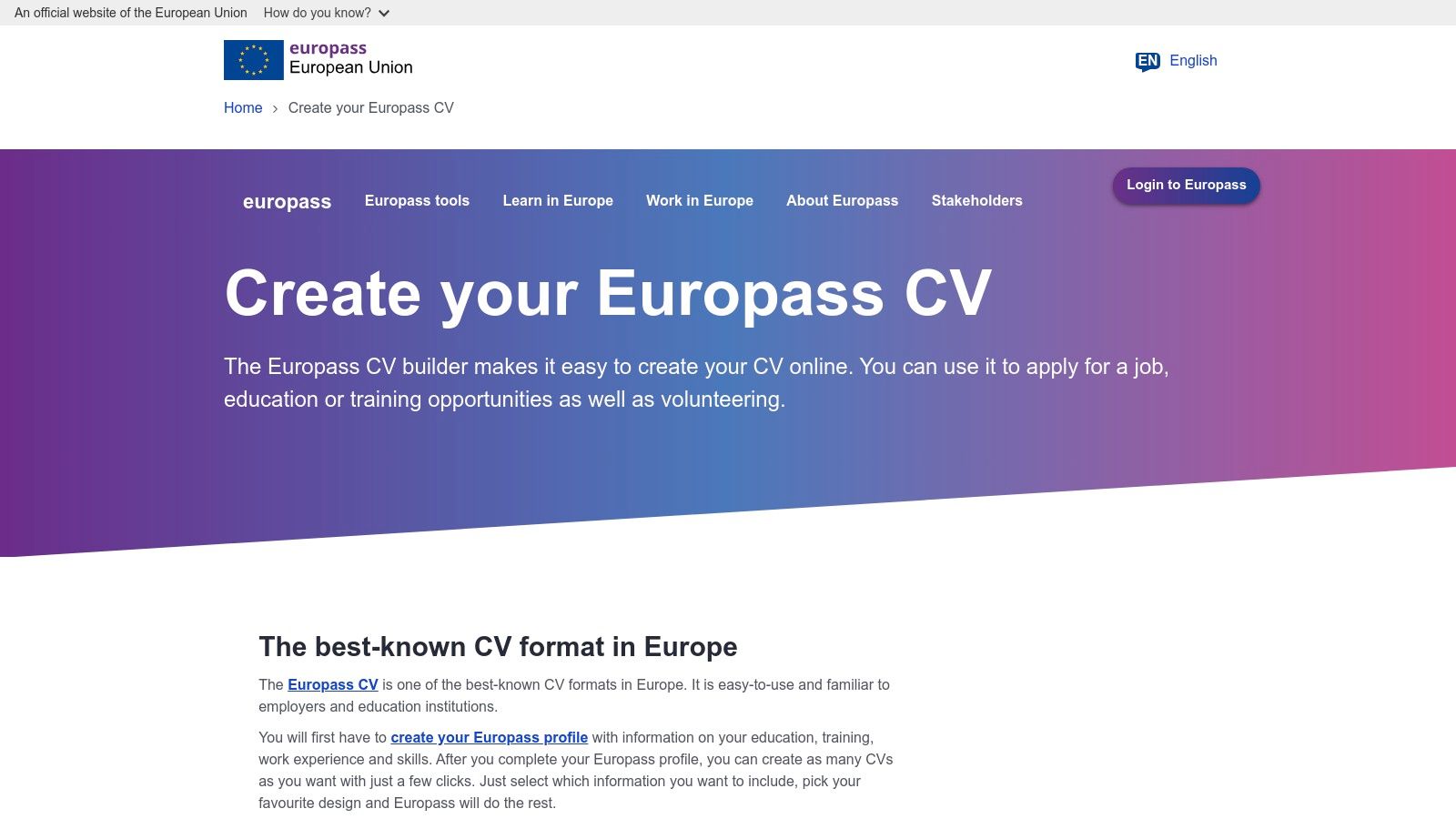
The platform guides you through each section of the CV, from personal information to work experience and digital skills, ensuring you don't miss any critical details. Its direct integration with the EURES (European Job Mobility Portal) allows you to create your CV and immediately make it available to thousands of European employers, a unique feature that no commercial builder can offer. While the platform is excellent for compliance and structure, it's important to remember that the content is still up to you. For guidance on making your content impactful, you can learn more about crafting a standout Europass CV to capture an employer's attention.
User Experience and Features
The interface is straightforward and functional, prioritising ease of use over flashy design. You can build your CV from scratch or create a comprehensive Europass profile to store your information for future use. This allows you to generate multiple CV versions tailored to different roles without re-entering all your data.
Key Features:
- Completely Free: There are no hidden costs, subscriptions, or premium features.
- Step-by-Step Guidance: The editor walks you through each CV section, making it ideal for those new to the format.
- Multilingual Support: You can create your CV in any of the official EU languages.
- Europass Library: If you create an account, you can save your profile and various CV and cover letter versions in a personal online library.
- EURES Integration: A direct link to the EU's job portal, streamlining your application process.
Pros and Cons
| Pros | Cons |
|---|---|
| Official Standard: Guarantees your CV meets the exact Europass format specifications. | Limited Customisation: Visual styling and layout options are very restricted. |
| Free to Use: No cost involved in creating, storing, or downloading your documents. | PDF-Centric: The primary download format is PDF; a .docx version is not offered. |
| Direct EU Integration: Seamless connection to the EURES job portal and other EU services. | Can Look Generic: Without careful content writing, it can blend in with others. |
| Structured Process: The guided format ensures you include all necessary information. | Lacks Modern Design: The templates are functional but may appear dated. |
Ultimately, the official Europass site is an essential tool for any job seeker in the EU, especially when compliance is key. It provides the foundational structure, but it’s your responsibility to fill it with compelling, achievement-focused content to stand out.
Website: https://europass.europa.eu/en/create-europass-cv
3. European Environment Agency (EEA) – Official Europass CV template (DOCX)
For job seekers who need an editable, offline version of the Europass CV, the European Environment Agency (EEA) provides an invaluable resource. This official EU body hosts a direct download for the standard Europass CV template in a Microsoft Word (.docx) format. This is the perfect solution for applicants who have been specifically asked to submit their CV as a Word document or for those who prefer the flexibility of editing their information offline without needing a web browser.
Unlike the interactive online builder, this is a straightforward template download. It provides the official structure, layout, and headings, ensuring your document is compliant with the Europass standard. This approach gives you complete control over the file, allowing you to save multiple versions on your local drive and tailor them extensively using Word's editing tools. While it lacks the guided prompts of the online portal, it offers unmatched convenience for those comfortable working directly within a word processor.
User Experience and Features
The process is as simple as it gets: visit the webpage and download the file. There is no user interface, account creation, or online editor involved. The primary benefit is gaining access to an authoritative, official template that you can trust is correctly formatted. This is particularly useful for professionals who might need to quickly adapt and print their CV on-site or send it from a work computer with limited internet access.
Key Features:
- Official .docx Template: A downloadable Microsoft Word file that perfectly mirrors the official Europass layout.
- Offline Editing Capability: Edit and save your CV on your computer without needing an internet connection.
- Authoritative Source: Provided by an official EU agency, guaranteeing the template's authenticity and compliance.
- Free and Direct Access: No registration or login is required; the template is available for immediate download.
- Full Customisation Control: Leverage all of Microsoft Word's features to tweak and perfect your content.
Pros and Cons
| Pros | Cons |
|---|---|
| Guaranteed Word Format: The best option when a .docx file is a mandatory application requirement. | No Guided Process: You are responsible for filling in all sections correctly without prompts. |
| Total Offline Control: Ideal for users who prefer working outside a web browser or have poor connectivity. | Risk of Formatting Errors: It is easier to accidentally break the layout compared to an online editor. |
| Reliable and Official: A trustworthy source for the standard template, unlike unofficial versions online. | Lacks Online Features: No integration with EURES or a digital library to store your profile. |
| Completely Free: No cost is associated with downloading or using the template. | Static Template: Requires manual updates for every new application, with no central profile storage. |
Ultimately, the EEA's template is a practical tool for a specific need. It's an excellent backup and a primary choice for anyone who must submit a Word document or simply values the control of offline editing. While it doesn't offer the rich features of an online builder, it provides a solid, reliable foundation for creating compliant Europass CV examples.
Website: https://www.eea.europa.eu/en/about/working-practices/docs-register/template-europass-cv
4. Overleaf – Europass CV LaTeX templates
For those in technical, academic, or scientific fields, achieving a professionally typeset document is paramount. Overleaf offers a sophisticated solution by providing browser-based LaTeX templates for the Europass CV. LaTeX is a high-quality typesetting system renowned for its precision and control over document layout, making it a favourite among engineers, researchers, and anyone who values typographic excellence and consistent formatting.
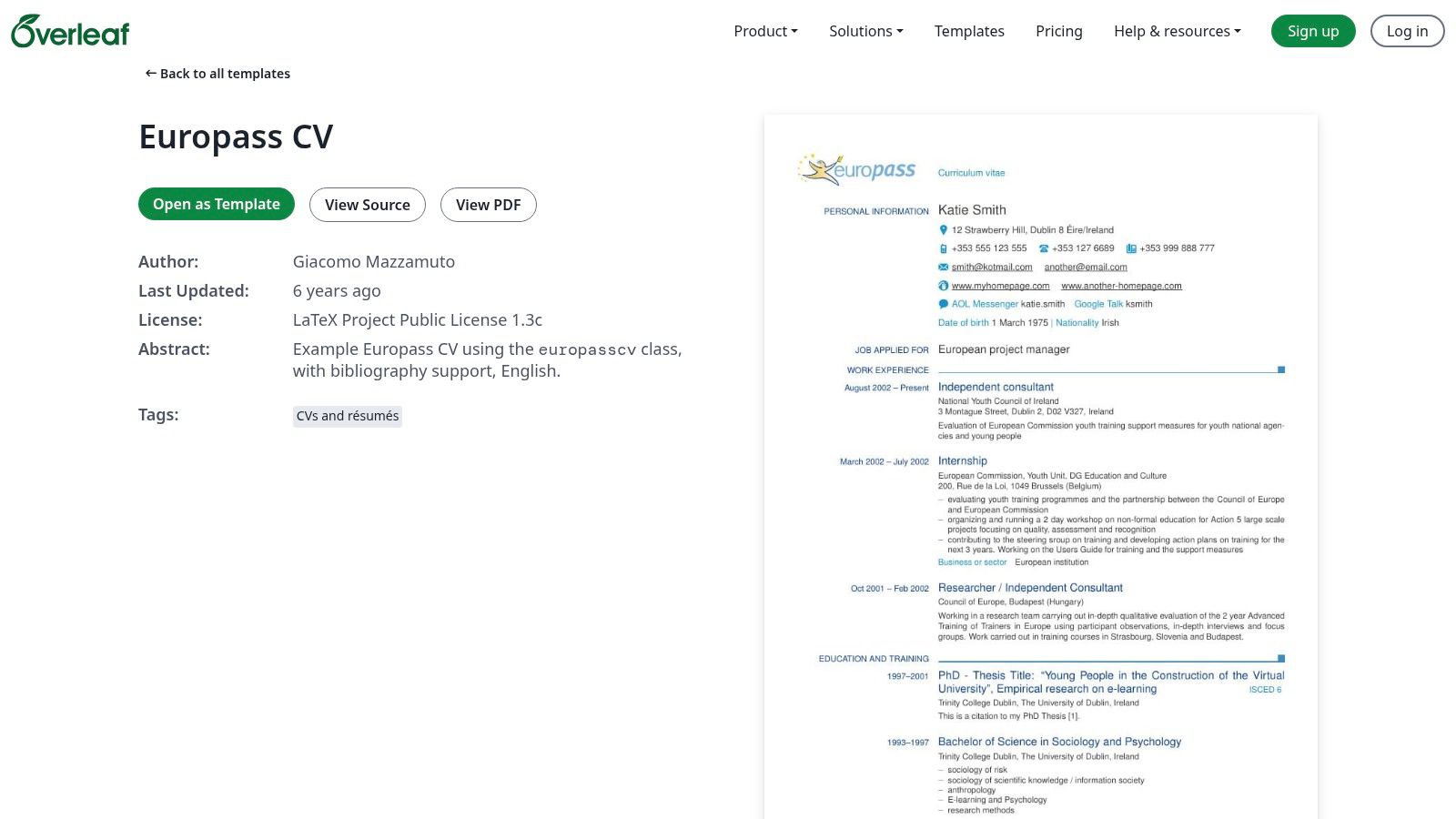
This platform is not a drag-and-drop builder; instead, it uses a code-based editor that compiles into a perfectly formatted PDF. While this approach has a steeper learning curve, it offers unparalleled control and produces a crisp, clean document that stands out for its professionalism. Overleaf hosts several community-maintained Europass templates, including the popular europasscv and europecv classes, giving you a solid foundation to build upon.
User Experience and Features
The Overleaf interface is a split-screen editor: you write your LaTeX code on one side and see a real-time preview of the compiled PDF on the other. This setup is highly efficient for users familiar with the markup language. The platform is entirely web-based, requiring no software installation, and includes features like version history and collaboration tools, which are particularly useful for receiving feedback from mentors or colleagues.
Key Features:
- Professional Typesetting: Utilises the power of LaTeX for superior document formatting and typography.
- Browser-Based Editor: Access and edit your CV from any device with an internet connection, with no installation needed.
- Ready-to-Use Templates: Start with pre-built Europass CV examples to avoid setting up the document structure from scratch.
- Version Control: Easily track changes and revert to previous versions of your CV.
- Clean PDF Export: Generates high-quality, professional-looking PDFs ready for submission.
Pros and Cons
| Pros | Cons |
|---|---|
| Exceptional Formatting Control: Offers precise control over every element of the CV layout. | Steep Learning Curve: Not suitable for users who are unfamiliar with LaTeX markup. |
| Professional Appearance: The final output is sharp, clean, and highly professional. | PDF Only: The primary output is PDF, which is not ideal if an employer requests a .docx file. |
| Great for Technical/Academic Fields: Highly regarded in circles where precision is valued. | Less Intuitive: Requires editing code rather than using a visual, user-friendly interface. |
| Free Templates Available: The core service and many templates are available at no cost. | Can Be Time-Consuming: Making small visual adjustments can require more effort than on a WYSIWYG editor. |
Overleaf is the ideal choice for job seekers who are already comfortable with LaTeX or are willing to learn it to achieve a perfectly polished document. It excels in producing europass cv examples with a level of professionalism that is difficult to replicate with standard word processors, making it a powerful tool for applicants in specialised fields.
Website: https://www.overleaf.com/latex/templates/europass-cv/kpcsxfcfvxhx
5. Etsy (UK) – Europass CV templates marketplace
If you are looking for a Europass CV with a bit more visual flair than the official version, Etsy can be a surprisingly useful resource. This global marketplace is home to countless independent designers who create and sell digital templates, including a wide range of Europass-style CVs. These templates often bundle a matching cover letter and are designed to be easily edited in common software like Microsoft Word or Canva.
While not an official source, Etsy provides an avenue for job seekers who want to stand out visually while adhering to the recognisable Europass structure. For a small one-off fee, often just a few pounds, you can get an instantly downloadable file that offers greater creative freedom. This is ideal for roles in less conservative industries where a touch of personality can be an advantage. However, it's crucial to ensure the template you choose still maintains a professional look and includes all the necessary sections for a comprehensive Europass CV.
User Experience and Features
The platform is a vast marketplace, so your experience depends heavily on the individual seller. Look for shops with high ratings and positive reviews to ensure you’re getting a quality product. The process is straightforward: you purchase the template, receive an instant download link, and can start editing immediately.
Key Features:
- Wide Selection of Designs: Countless independent designers offer unique takes on the Europass format, from minimalist to more colourful options.
- Common Editing Formats: Most templates are available for Microsoft Word, Google Docs, or Canva, making them accessible to almost everyone.
- Bundled Packages: Many sellers include a matching cover letter, and sometimes even a reference page or portfolio template, for a cohesive application.
- Instant Access: As a digital product, you can download and start working on your CV moments after purchase.
Pros and Cons
| Pros | Cons |
|---|---|
| Visually Appealing: Offers more modern and customisable designs than the official version. | Not Official: May not meet strict requirements for certain EU or public sector jobs. |
| Low One-Off Cost: Templates are generally very affordable with no recurring subscription fees. | Quality Varies: The quality and usability of templates can differ significantly between sellers. |
| Editable in Familiar Software: No need to learn a new platform if you know Word or Canva. | Potential Formatting Issues: Editing complex layouts in Word can sometimes lead to formatting problems. |
| Seller Reviews: Customer ratings help you gauge the quality and support of a specific designer. | Lacks ATS Optimisation: A pretty design does not guarantee it will be readable by an ATS. |
Etsy is a great choice for those who need a Europass-structured CV but want to avoid the generic look of the official template. Just be sure to vet the seller and double-check that the design doesn’t sacrifice readability or professionalism for style.
Website: https://www.etsy.com/uk/market/europass_cv
6. Creative Market – Europass CV Template (premium)
For job seekers who need their CV to meet Europass structural guidelines but also want a high-end, professionally designed document, premium marketplaces like Creative Market are an excellent resource. These platforms offer templates created by professional graphic designers, giving you a polished look that stands out while still respecting the core sections of the Europass format. They are ideal for roles in creative industries, marketing, or senior positions where personal branding is key.
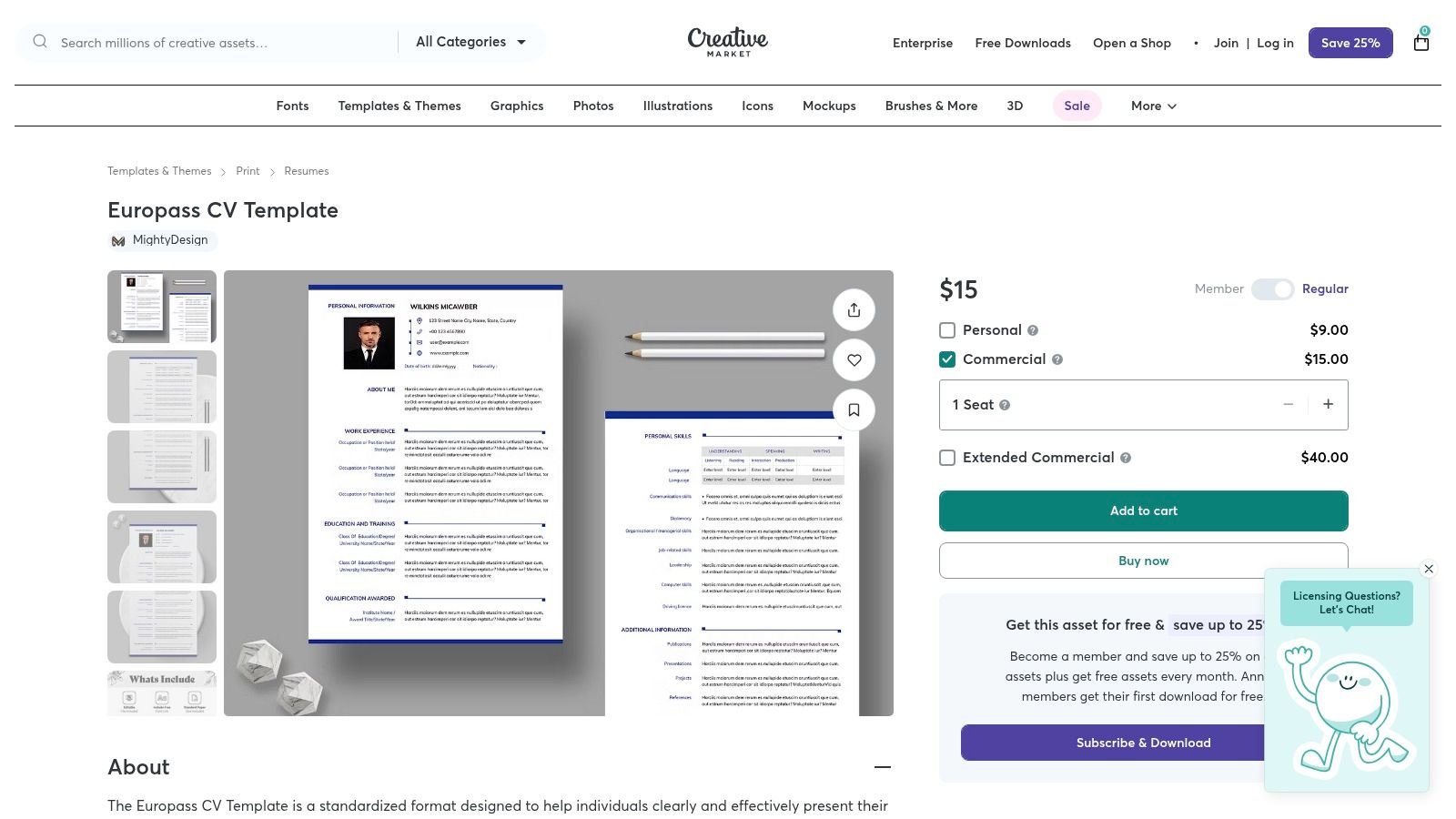
Unlike standard builders, these are downloadable assets you edit in professional software like Adobe InDesign, Photoshop, or Microsoft Word. This gives you complete creative control over typography, spacing, and colour, allowing you to align your CV with a personal brand or portfolio. While you pay a one-off fee for the template, the investment can result in a unique and memorable application document that blends compliance with superior aesthetics.
User Experience and Features
The Creative Market platform is a straightforward digital marketplace. You browse or search for "Europass CV", select a design you like, purchase it, and download the files instantly. The user experience focuses on the transaction and delivery of digital goods, not on CV content creation itself.
Key Features:
- Professional Design Quality: Templates are crafted by graphic designers with a focus on clean layouts, modern typography, and visual appeal.
- Multi-Format Downloads: Many templates come with files for various programs, such as Microsoft Word (.docx), Adobe InDesign (.indd), and Photoshop (.psd).
- Full Customisation Control: With the source files, you have DTP-grade control over every element, perfect for achieving a pixel-perfect layout.
- Print-Ready Layouts: Templates are often built with organised layers and proper specifications for high-quality printing.
Pros and Cons
| Pros | Cons |
|---|---|
| Superior Aesthetics: Delivers a much higher level of design polish than free online tools. | Requires a Purchase: These are premium templates with a one-off cost that varies by designer. |
| Brand Consistency: Useful for matching your CV to a personal website or portfolio. | Software Dependent: You need access to and proficiency in software like Word, InDesign, or Photoshop. |
| Greater Creative Freedom: You are not locked into a restrictive web-based editor. | Compliance Risk: You must manually ensure the template preserves the strict Europass section order. |
| One-Time Purchase: No recurring subscriptions; you own the template file after buying it. | Content Is Still on You: Provides the design shell, but you are responsible for all content writing. |
Ultimately, Creative Market is the go-to option for professionals who understand the importance of visual presentation and have the skills to edit design files. It offers a powerful way to create europass cv examples that look distinct and professional, provided you ensure the final document remains fully compliant with the required format.
Website: https://creativemarket.com/Mighty-Design/278462209-Europass-CV-Template
7. DocHub – Fill and edit Europass CV examples online
If you've found a Europass CV example online and need a quick way to edit it without installing new software, DocHub offers a practical solution. It's a versatile online document editor that lets you upload a PDF or Word document, fill in your details directly in your browser, and then export it. This is particularly useful for adapting pre-formatted templates or examples you might find, bypassing the need to start from scratch if you've already found a layout you like.
DocHub essentially acts as a third-party host and editor for sample files, rather than an official CV builder. Its strength lies in its convenience and accessibility. For job seekers who work across multiple devices or prefer cloud-based tools, it provides a straightforward way to make quick edits, add a digital signature, and share a completed CV without the hassle of file conversion or desktop software limitations.
User Experience and Features
The platform's interface is centred around its document editing capabilities. You upload your chosen Europass CV example, and a toolbar provides options to add text, checkmarks, signatures, and more. While it's not a guided CV creation process like the official Europass portal, it offers flexibility for those who are comfortable working with existing document layouts.
Key Features:
- In-Browser Editing: Edit Europass CV examples directly online without any software installation.
- Multiple Export Options: Download your finished CV as a PDF or other formats, and share it via a link.
- E-Signature Capabilities: Useful for signing accompanying documents or formal applications.
- Cloud Storage Integration: Connects with services like Google Drive, Dropbox, and OneDrive for easy file access.
Pros and Cons
| Pros | Cons |
|---|---|
| No Software Required: A quick and easy way to adapt a Europass-formatted example online. | Not an Official Builder: It's a generic document editor, not a dedicated CV creation tool. |
| Works on Any Device: Fully accessible from any computer or tablet with a modern web browser. | Account May Be Needed: Advanced features or higher usage may require a DocHub account. |
| Flexible File Handling: Upload and edit existing files you may have found or received. | Potential Costs: Some export options or premium features could be behind a paywall. |
| Convenient for Quick Edits: Ideal for small changes or filling in a template on the go. | Lacks CV-Specific Guidance: It won't prompt you on what content to include in each section. |
DocHub is a handy tool for a specific use case: editing a pre-existing Europass CV file. It prioritises document-handling convenience over the structured, guided experience of dedicated CV builders. If you just need to fill in a template quickly, it's a great option, but for building a CV with expert guidance, you may want to look at more specialised platforms.
Website: https://www.dochub.com/fillable-form/92000-europass-cv-download-word
7-Source Europass CV Comparison
| Option | Implementation complexity 🔄 | Resource / Speed ⚡ | Expected outcomes ⭐ / 📊 | Ideal use cases | Key advantages 💡 |
|---|---|---|---|---|---|
| Europass (europass.ai) | 🔄 Very low — guided form + AI | ⚡ Low cost; very fast (CV ≈3 min); subscription or one‑time | ⭐ High for European ATS fit; 📊 helps create interview-winning CVs | Professionals; EU job market; quick recruiter‑ready CVs | AI‑powered content; professional templates; cover letters; affordable |
| Europass (official) – Create Europass CV | 🔄 Low — step‑by‑step web editor | ⚡ Free; web‑based; moderate speed | ⭐ Gold‑standard compliance; 📊 direct EU/EURES compatibility | When a Europass CV is explicitly requested; formal EU applications | Official source; multilingual; saves versions; EU integrations |
| European Environment Agency (EEA) – DOCX template | 🔄 Low–moderate — download & manual edit in Word | ⚡ Free; requires Word; offline editing time | ⭐ Reliable editable Europass structure; 📊 useful for Word submissions | Applicants who must submit .docx or edit offline | Official DOCX template; easy offline tailoring |
| Overleaf – LaTeX templates | 🔄 High — requires LaTeX familiarity | ⚡ Free/browser; slower setup; produces clean PDFs | ⭐ Excellent typesetting & reproducibility; 📊 professional output | Academics/engineers; bilingual or typographically precise CVs | Precise control; versioning & collaboration; community templates |
| Etsy (UK) – Marketplace templates | 🔄 Low — purchase then edit in Canva/Word | ⚡ Low cost; instant download; needs editing tools | ⭐ Variable quality; 📊 quick personalized layouts when well chosen | Users wanting editable, slightly styled Europass‑like templates | Wide variety; immediate access; low price — check reviews |
| Creative Market – Premium template | 🔄 Low–moderate — may require DTP tools (InDesign/PS/Word) | ⚡ Paid; instant download; higher cost | ⭐ High design polish; 📊 print‑ready, professional presentation | Brand‑matching, portfolio CVs, teams needing DTP control | Premium, multi‑format files; commercial‑grade design |
| DocHub – Fill & edit online | 🔄 Low — in‑browser editing of samples | ⚡ Freemium; fast edits; some features paid | ⭐ Convenient quick edits & signing; 📊 easy sharing/export | Quick adaptations, e‑signing, editing without desktop software | Browser editing, e‑signature, cloud integrations; fast workflow |
Your Next Career Move Starts with the Right CV
Throughout this guide, we've explored various europass cv examples, moving far beyond a simple template-filling exercise. We’ve shown how strategic customisation transforms a standard document into a powerful career tool. The core lesson is consistent across every example: a truly effective Europass CV is a carefully crafted narrative of your professional value, tailored for the European job market.
The journey from a blank page to a job-winning CV can seem daunting, but the path is clearer when you focus on the right elements. The examples we analysed highlight several critical strategies that you can replicate immediately. From quantifying achievements with specific metrics to embedding industry-specific keywords that get you past Applicant Tracking Systems, these tactics are designed to capture a recruiter's attention.
Key Takeaways for Crafting Your Europass CV
As you begin to build or refine your own document, keep these essential insights at the forefront of your process:
- Customisation is Non-Negotiable: A generic CV is an ignored CV. The most successful europass cv examples are those meticulously tailored to the specific job description. This means mirroring the language of the employer and prioritising skills and experiences that align directly with their stated needs.
- Achievements Outshine Responsibilities: Shift your focus from simply listing what you did to showcasing what you achieved. Use the STAR method (Situation, Task, Action, Result) to frame your bullet points, incorporating numbers, percentages, and tangible outcomes wherever possible. This provides concrete evidence of your capabilities.
- ATS Optimisation is a Technical Requirement: In today's recruitment landscape, your first reader is often a machine. Ensure your CV uses standard formatting, conventional section headings (e.g., "Work Experience," "Skills"), and relevant keywords drawn from the job advert to pass this initial screening. Avoid using tables, columns, or complex graphics that can confuse parsing software.
- Clarity and Readability are Paramount: Your CV must be easy to scan. Use clear headings, ample white space, and concise, action-oriented language. A recruiter should be able to grasp your key qualifications and career trajectory in under 30 seconds.
Choosing the Right Path Forward
We've reviewed several tools and templates, from the official Europass portal to premium design markets. Your choice depends on your specific needs. If you require a universally recognised but rigid format, the official portal is sufficient. If you seek greater design flexibility, marketplaces like Etsy or Creative Market offer aesthetically pleasing options, but you must ensure they remain ATS-friendly.
However, the modern job search demands a blend of professional design, strategic content, and technical optimisation. Manually balancing these elements can be time-consuming and prone to error. This is where leveraging technology becomes a significant advantage, allowing you to focus on what truly matters: articulating your professional story. By combining the foundational structure of the Europass format with AI-powered enhancements, you can ensure your CV is not only compliant and professional but also strategically engineered to succeed. Your career is too important to leave to chance; equip yourself with the best tools for the job.
Ready to move beyond static templates and create a dynamic, ATS-optimized CV that gets results? The principles discussed in these europass cv examples are built directly into the europass.ai platform. Let our AI-powered builder guide you through crafting achievement-focused descriptions and selecting the perfect professional format, so you can apply for your next role with total confidence. Start building your professional CV for free with Europass.ai today!
Great CVs get work done
Work smarter with the CV builder trusted by skilled workers for more than a decade.
It's easy
