Europass CV Template Download: Your Guide to a Standout Application
If you're starting a job search in Europe, you've almost certainly come across the Europass CV. When you need a Europass CV template download, your first thought is probably the official EU portal. It offers a standardised, recognised format, which is a safe starting point. However, in a competitive job market, "standard" is rarely enough to get you noticed. The job search can be challenging, but the right tools can make all the difference.
To gain a real edge, you need to go beyond the basics. This is where modern, AI-powered tools like europass.ai step in, offering a smarter, faster, and more effective way to build a CV that truly represents your skills and ambitions. Instead of just filling in a template, you can create a document designed to impress both recruiters and hiring software.
Ready to build a CV that opens doors? Create Your Professional CV with Europass.ai and see the difference for yourself.
Where to Find a Winning Europass CV Template
Finding the right Europass CV template isn’t just about downloading a blank document. It's about choosing a foundation that helps you stand out from the crowd and makes a memorable first impression.
While the official Europass website provides a free, widely accepted format, its main drawback is its uniformity. Your CV risks looking identical to thousands of others, making it easy for busy recruiters to overlook. A more advanced, modern approach can significantly improve your chances.
Platforms like europass.ai were developed to address the limitations of the standard template. They offer professionally designed layouts that are not only visually appealing but are also built to be fully compatible with Applicant Tracking Systems (ATS). This is critically important, as most large European companies use this software to filter applications before they ever reach a human reviewer.
Instead of a simple download, consider using an AI-powered CV builder. These tools guide you through the entire creation process, ensuring every section is impactful.
- Professionally Designed Layouts: You can choose from a variety of modern styles that are easier for recruiters to scan and digest quickly.
- ATS Optimisation: These templates are engineered from the ground up to navigate automated screening software without formatting errors.
- AI-Powered Content Suggestions: Feeling stuck on what to write? Get intelligent suggestions to craft powerful, achievement-focused bullet points that highlight your skills.
- Ease of Use: You can assemble a polished, professional CV in minutes, not hours, thanks to an intuitive interface and real-time previews.
Ultimately, the best place for a Europass CV template download is a platform that combines the trusted, recognised format with today's technology. This ensures your CV not only meets European standards but also captures the attention of hiring managers.
Before you begin, it’s helpful to understand what a Europass CV is and its role in the European job market. Starting with an intelligent, optimised template sets you up for a more successful job search from day one.
Choosing the Best Template for Your Profession
Let's be clear: a one-size-fits-all CV is a myth. While the classic Europass layout is widely recognised, it doesn't always showcase the unique skills of every profession, especially hands-on roles. For many practical careers, a modern, tailored design can make a world of difference in highlighting your specific qualifications and certifications. Your choice of template is a strategic decision, not an afterthought.
This is particularly true if you work in fields like construction, manufacturing, or logistics. A construction foreman, for example, needs to put their project management expertise and safety certifications front and centre. A traditional, text-heavy CV might bury these crucial details. A modern template, however, can use a sidebar or a dedicated skills section to make these qualifications immediately visible.
Matching the Layout to Your Role
Consider a manufacturing technician. The primary goal of their CV is to communicate expertise with specific machinery, quality control protocols, and technical skills. A layout with a prominent "Technical Skills" or "Certifications" section at the top is invaluable. It instantly tells the hiring manager that you possess the hands-on experience they're looking for.
The same principle applies to a warehouse supervisor. Their CV must effectively showcase leadership, proficiency with inventory software (like SAP or Oracle), and logistics coordination. Selecting a template that visually separates these core competencies from the standard work history helps recruiters identify you as a strong candidate within seconds. You’re making their job easier, which is always an advantage.
Your CV template is more than just aesthetics; it's a powerful communication tool. The right layout guides a recruiter's eye to your most valuable qualifications in the critical first few seconds they review your application.
The Europass format has a long history. In 2009, there were over 600,000 Europass CV template downloads from the UK's national centre alone, demonstrating its deep roots in the European job market. You can read more about these early adoption trends to understand its background.
This flowchart illustrates the difference between using the standard portal and an AI builder to create your CV.
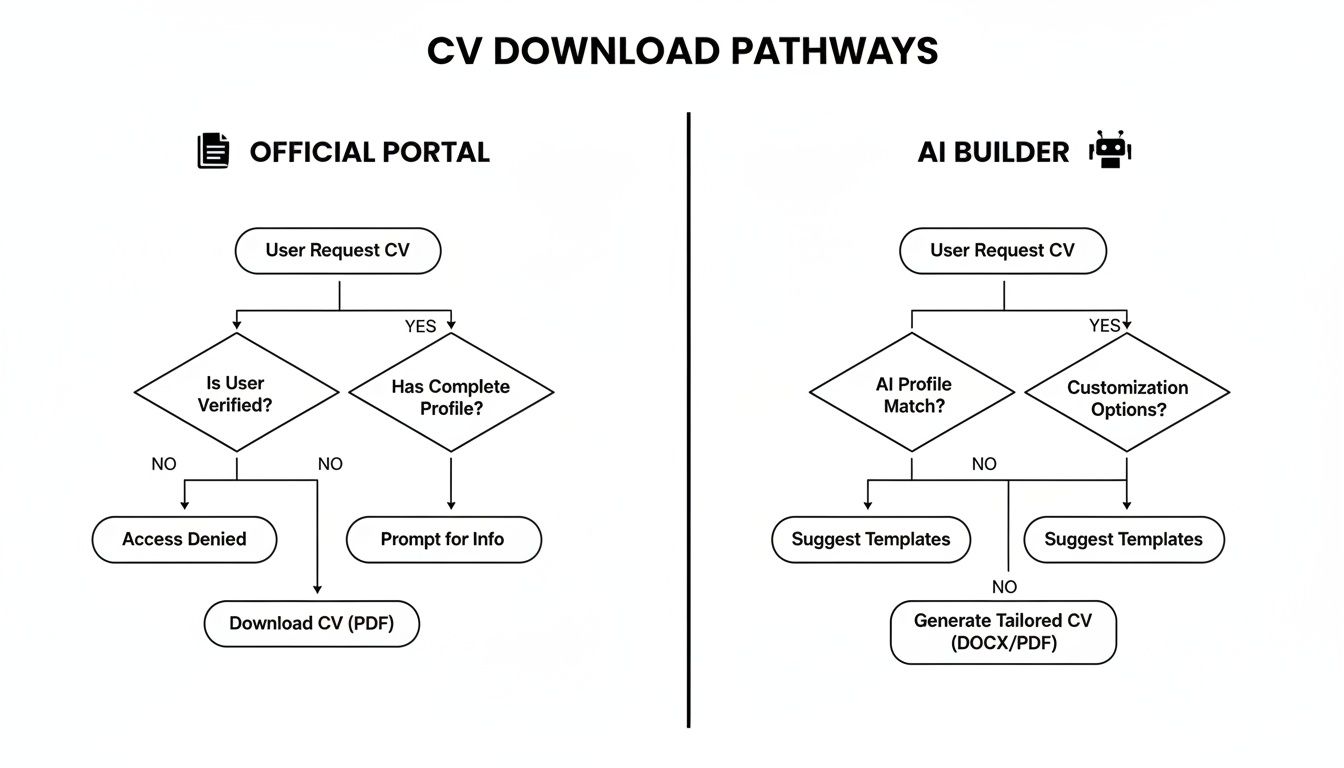
Ultimately, an AI builder provides a much faster and more polished outcome. You receive a professional, ATS-optimised document in a fraction of the time.
Traditional Europass vs. Europass.ai AI-Powered Templates
Choosing between the official template and a modern alternative can feel daunting. The original is well-recognised, but AI-powered tools like Europass.ai offer far greater flexibility and optimisation for today's job market.
Here’s a quick comparison to highlight the key differences:
| Feature | Traditional Europass Template | Europass.ai AI-Powered Template |
|---|---|---|
| Design & Layout | Standardised, rigid format with limited customisation options. | Dozens of modern, customisable designs. |
| Content Generation | Manual data entry required for all sections. | AI assistant helps write and optimise content. |
| ATS Compatibility | Basic compatibility; can sometimes cause parsing errors. | Optimised layouts and structure for ATS scanners. |
| Ease of Use | Can be clunky and time-consuming to complete. | Intuitive, user-friendly interface for quick creation. |
| File Formats | Primarily PDF. | Multiple download options, including PDF and DOCX. |
| Unique Features | Widely recognised across Europe. | Cover letter builder, real-time tips, and content suggestions. |
While the traditional Europass has its place, the AI-powered templates from europass.ai are designed to give you a competitive advantage. They don't just help you list your experience; they empower you to sell it effectively.
Optimizing Your CV for Applicant Tracking Systems (ATS)

Securing a Europass CV template download is a great start, but the next challenge is getting past the automated gatekeepers. It's a reality of the modern job search: many large European companies use Applicant Tracking Systems (ATS) for the initial screening of applications. If your CV isn't formatted in a way this software can interpret, it could be rejected before a human ever sees it.
These systems are programmed to scan for specific keywords and can be confused by complex designs or non-standard layouts. Your goal is to create a CV that is as easy for a machine to parse as it is for a recruiter to read. Think clean, clear, and conventional.
The Foundations of an ATS-Friendly CV
Before you even begin writing about your experience, you must get the basic structure right. When it comes to ATS optimisation, simplicity is your greatest ally.
- Stick to Standard Fonts: Avoid the temptation to get creative. Use universally recognised fonts like Arial, Calibri, or Times New Roman. Custom fonts may look stylish, but they can cause parsing errors that render your CV unreadable to the software.
- Keep Graphics to a Minimum: It’s best to avoid tables, columns, headers, and footers. While they can enhance visual appeal, an ATS often struggles to interpret them correctly, potentially causing it to skip entire sections of your CV.
- Use Simple Section Headings: Stick to classic titles like “Work Experience,” “Education,” and “Skills.” A creative heading like “My Professional Journey” might sound engaging to you, but it will likely confuse the software.
Once your CV is drafted, it's always wise to run it through a compatibility check. A free ATS resume checker can provide peace of mind by confirming your document is ready for that crucial first digital screening.
Weaving in the Right Keywords
At its core, an ATS functions as a matching tool. It scans your CV for keywords and phrases that align with the job description. Your task is to ensure your CV mirrors the language used by the employer.
Let's take an electrician applying for a new role as an example. The job description might list requirements like "fault diagnosis," "circuit installation," and "adherence to BS 7671 standards."
Before (Too Vague):
- Repaired electrical systems
- Installed wiring
- Followed safety rules
This is far too generic. It lacks the specific terminology the ATS has been programmed to identify.
After (Keyword-Rich and Achievement-Focused):
- Expert in fault diagnosis for commercial and residential electrical systems, resolving issues 25% faster than the team average.
- Proficient in circuit installation, successfully completing over 50 projects in full adherence to BS 7671 standards.
Notice the difference? The "after" example does more than just insert keywords. It links them directly to measurable achievements, making the content far more persuasive for the hiring manager who will eventually read it. This dual approach—optimising for the software while impressing the human—is the key to securing more interviews.
Managing Multiple CV Versions with Ease
Let’s be honest: sending the same generic CV for every application is a fast track to the rejection pile. Tailoring your CV to each specific job isn't just good advice; it's essential for success. But that doesn't mean it has to be a dreaded, time-consuming task.
The key is to work smarter, not harder. Instead of building a new CV from scratch every time, platforms like europass.ai allow you to create one comprehensive master profile. From there, you can easily duplicate and fine-tune it for each new opportunity. This process takes minutes, not hours, and ensures you're always highlighting your most relevant experience.
Staying Organised is Key
A desktop cluttered with files named CV_Final_V2.pdf and CV_ReallyFinal.pdf is a recipe for chaos. Establishing a simple, effective organisational system from the start will save you from the nightmare of sending the wrong file to the wrong employer.
Start with a main ‘Job Search’ folder. Within that, create a separate folder for every company you apply to. Then, adopt a clear naming convention for your CVs.
A reliable format is:
- CV_YourName_JobTitle_CompanyName.pdf
For example, your file name would look like this: CV_John-Smith_Project-Manager_EuroConstruct.pdf. It’s a small habit, but it makes finding the right document effortless and demonstrates your professionalism and attention to detail.
Always, Always Send a PDF
Once you’ve perfected your tailored CV, there’s one final golden rule: always save it as a PDF. There’s a good reason this is the universal professional standard. A PDF locks in all your careful formatting, so you can be confident it looks exactly as you intended, no matter what device or software the hiring manager uses to open it.
It preserves the clean, professional appearance of your Europass CV template download, which is crucial. Employers across Europe value clarity and relevance above all else. Sending a polished PDF demonstrates that you understand and respect these professional standards. With a dedicated CV builder, creating that perfect, professional PDF is a simple, one-click process.
Enhancing Your CV Content with AI
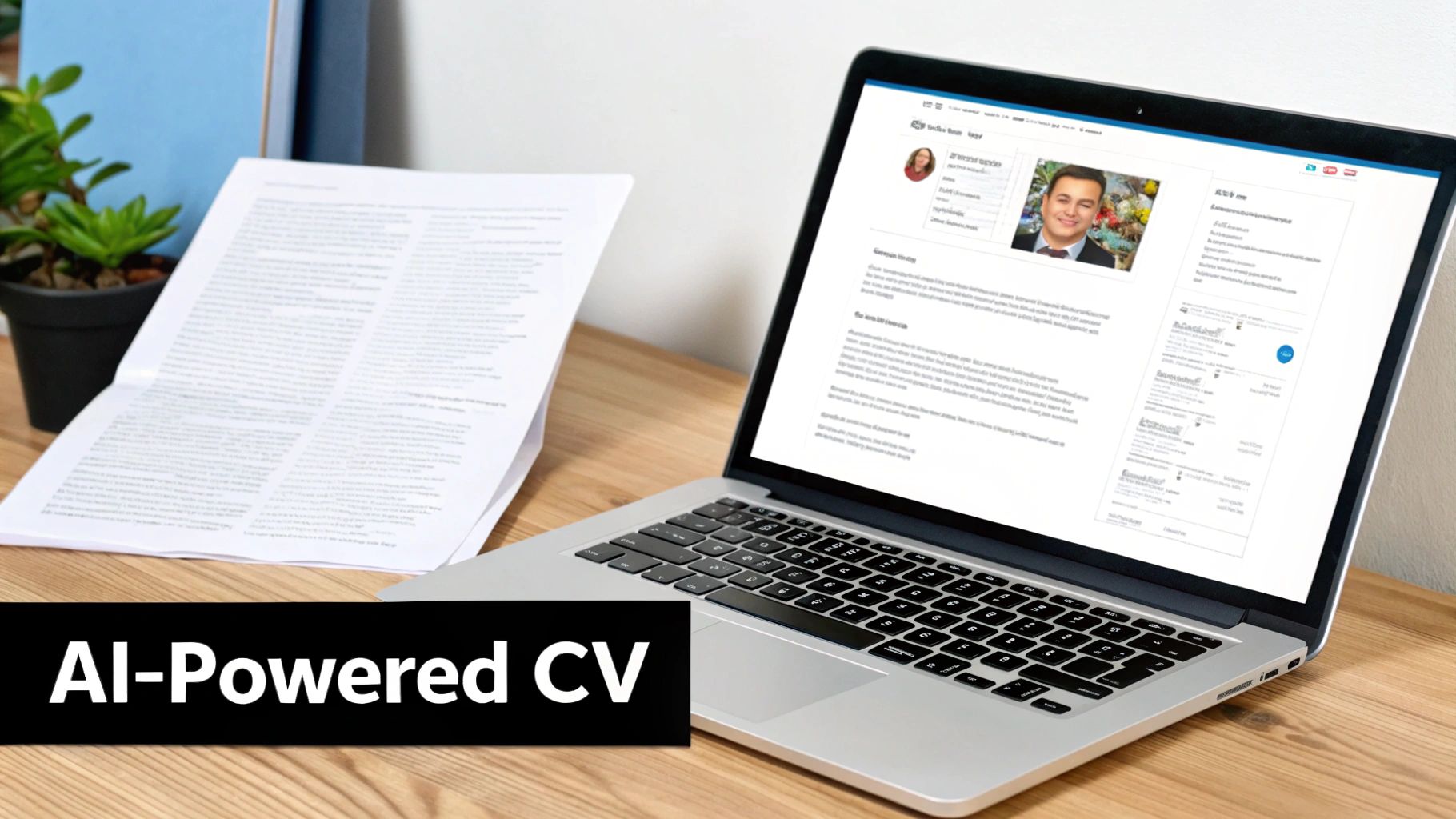
A great template is only half the battle. The content inside that template is what truly secures you an interview. This is where modern technology can give you a significant advantage, helping you frame your professional value with real impact.
Simply obtaining a Europass CV template download is a good starting point, but the real magic happens when you use tools that help you find the right words. It’s about transforming your day-to-day duties into compelling achievements that make a recruiter stop and take notice.
From Vague Duties to Powerful Achievements
We've all been there—staring at a blank page, trying to describe our last job. You know what you did, but making it sound impressive can feel like an impossible task. This is precisely the challenge that AI-powered CV builders were designed to solve.
Instead of a flat phrase like 'Managed a team,' our AI digs deeper to suggest alternatives with more substance and impact. Imagine turning that simple statement into something that truly demonstrates your capabilities.
For instance, you might receive suggestions like these:
- 'Led a team of 5 technicians to increase production efficiency by 15% over six months.'
- 'Supervised a warehouse crew, implementing a new inventory system that reduced picking errors by 22%.'
- 'Directed daily site operations for a construction team, ensuring 100% compliance with safety regulations.'
These aren't just filler phrases; they help you build a narrative that showcases your actual value. You move from simply filling in boxes to telling a powerful professional story.
Tailoring Language for Your Industry
The language that resonates with a logistics coordinator won't necessarily work for a software developer. Your CV needs to speak the language of your specific field, and this is another area where AI excels.
AI helps you pinpoint the exact, industry-specific language that highlights your expertise. Whether it’s leadership, technical skills, or safety compliance, it ensures your CV speaks directly to the hiring manager in terms they understand and value.
With the right tools, you can create a professional CV that reflects your true capabilities in just a few minutes, ensuring every word is working hard to get you noticed.
Got Questions About Europass CVs? We've Got Answers
Navigating the world of Europass CVs for the first time? It's natural to have questions. We hear them often from job seekers across Europe, so we’ve put together straightforward answers to help you move forward with confidence.
Let's clear up some of the most common queries.
Is the Europass CV Template Free to Download?
Yes, absolutely. You can visit the official EU Europass portal and create a basic CV completely free of charge. It’s a solid, no-cost starting point if you need a recognised European format.
However, the free version is just that—basic. For anyone serious about gaining a competitive edge, tools like europass.ai offer a significant upgrade. Think modern designs that catch the eye, AI-powered writing assistance to save you time, and essential optimisation to ensure your CV passes through automated screening systems (ATS). It's a world away from a simple template download.
Can I Use a Europass CV for Jobs in the UK?
You can, but it’s wise to consider your audience. While the Europass format is known, many UK recruiters now prefer more dynamic and concise CVs, typically no longer than two pages. The classic Europass layout can sometimes feel rigid or overly detailed for the fast-paced UK job market.
That said, if you're applying to multinational companies or for roles with strong ties to continental Europe, it remains a perfectly acceptable choice.
Our advice? The best strategy is to use a flexible CV builder. This allows you to keep all your information in one place while generating different versions—one in the standard Europass format and another, more compact version tailored specifically for UK applications. You'll always have the perfect document ready.
What Is the Best Format to Save My CV In?
Always, without exception, save and send your CV as a PDF. This is the non-negotiable professional standard for very good reasons.
A PDF locks in your formatting. This means the layout, fonts, and spacing you spent time perfecting will look exactly as you intended, regardless of the computer or software the hiring manager uses. Sending a Word document is risky—it can easily appear messy or distorted on another device, which is the last impression you want to make. Thankfully, any modern CV builder makes downloading a pixel-perfect PDF a simple, one-click process.
Ready to create a CV that does more than just list your experience? A CV that tells your professional story and is optimised for today's hiring technology? With europass.ai, you can build a professional, ATS-friendly CV that truly gets you noticed and helps you take the next step in your career.
Great CVs get work done
Work smarter with the CV builder trusted by skilled workers for more than a decade.
It's easy
